iPhone Battery Replacement: Performance, Safety, and Why Professional Care Matters
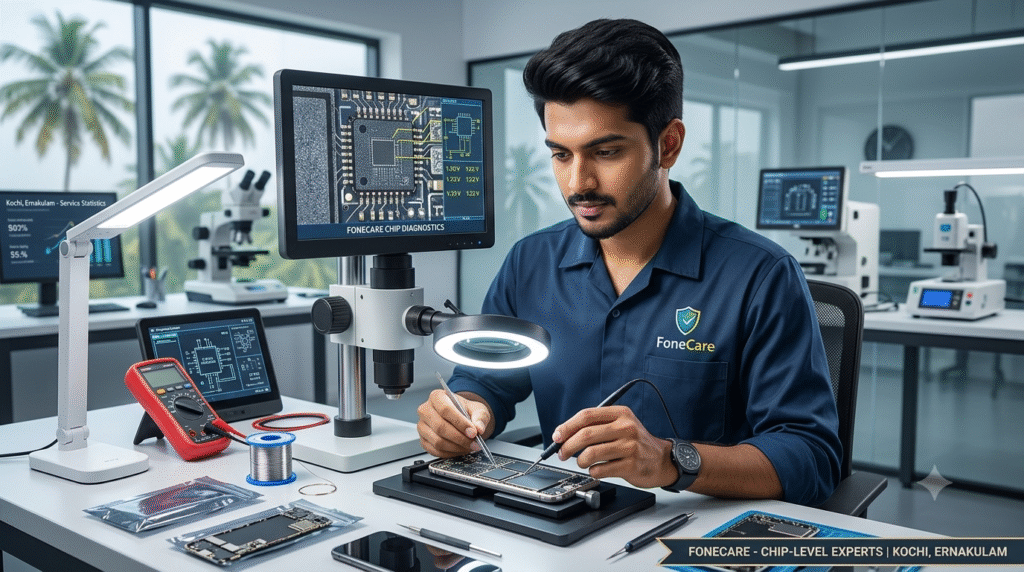
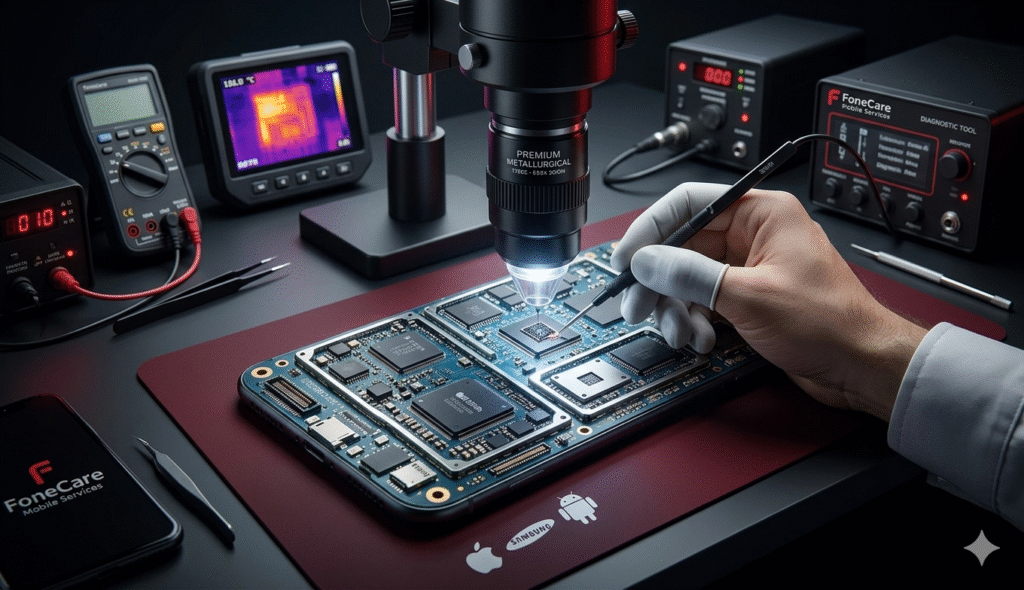
Home About Us Contact Us privacy policy Hamburger Toggle Menu The Science of Smartphone Motherboard Repair: Why Precision Engineering is Mandatory Book your service NOW The Science of Smartphone Motherboard Repair: Why Precision Engineering is Mandatory In today’s fast-paced digital era, our smartphones are far more than just communication tools—they are our absolute lifelines. From managing corporate workflows, attending remote meetings, and handling secure mobile banking to preserving irreplaceable personal memories, we depend on these devices every single hour. When a device suddenly malfunctions, freezes, or goes completely dark, your entire professional and personal routine instantly grinds to a halt. During such a crisis, finding immediate, professional help from a trusted mobile service centre in Ernakulam becomes your highest priority. Whether you are dealing with a shattered display, a rapidly degrading battery, accidental water immersion, or complex internal hardware failures, the technical competence of the repair center you choose determines the ultimate lifespan of your device. Settle for an amateur fix, and you risk destroying the phone permanently. This comprehensive guide breaks down what separates a premium, reliable repair hub from a standard storefront, the hidden dangers of low-quality fixes, and why FoneCare stands out as Ernakulam’s most trusted name for premium smartphone restoration. What Makes a Mobile Service Centre Truly Reliable? Finding a standard repair shop in a bustling commercial hub like Kochi is effortless; they are on almost every street corner. However, finding a facility that strictly adheres to global electronic servicing standards requires looking for specific professional benchmarks. A truly reliable service center must deliver peace of mind through five core pillars: 1. Advanced Diagnostic Infrastructure: Modern smartphones feature incredibly dense, multi-layered internal layouts. A reliable service center does not rely on guesswork, random heating, or trial-and-error component swapping. Technicians must utilize high-precision digital multimeters, thermal imaging cameras (to locate heat signatures from short circuits), and official logic board schematic software (like ZXW or Borneo) to pinpoint the exact root cause of a fault before a single screw is removed. 2. Strict Data Privacy & Security Protocols: Your smartphone holds deeply sensitive personal data, from private photo galleries and personal chat histories to active financial applications and passwords. Premium service hubs enforce rigorous data security measures. They ensure your underlying storage remains completely confidential, secure, and untouched throughout the entire physical repair pipeline, giving you complete data peace of mind. 3. Certified Multi-Brand Expertise: Smartphone internal architectures vary drastically between manufacturers. A technician qualified to service a mid-range Android phone may not possess the micro-soldering expertise required to safely work on a dual-layered, sandwiched logic board of a premium Apple iPhone or a Samsung flagship. True reliability demands certified technicians who understand the distinct hardware nuances, voltage lines, and chip layouts of Apple, Samsung, OnePlus, and Xiaomi devices. 4. Genuine, Premium-Grade Spare Parts: The market is flooded with substandard, counterfeit replacement parts that can permanently ruin your device’s original touch sensitivity, color accuracy, and power consumption profiles. A professional service center explicitly uses verified, premium-grade or original equipment manufacturer (OEM) spec spares that perfectly match factory performance standards. 5. Transparent Pricing and Defined Warranties: Reliable centers provide a detailed, itemized cost estimate upfront after the initial diagnosis, eliminating any surprise add-on fees or hidden labor costs. Furthermore, they stand firmly behind their craftsmanship by backing both the parts replaced and the technical labor with a solid, unambiguous service warranty. The Danger of Low-Cost, Unauthorized Repair Stalls Many device owners make the mistake of handing over their premium flagships to unauthorized roadside kiosks or untrained technicians, lured by incredibly low prices. This short-term saving frequently leads to catastrophic hardware damage. From Modular Swaps to Deep Chip-Level Engineering To understand why specialized centers are required, it helps to look at how smartphone components are structurally integrated. Smartphone repairs generally fall into two distinct categories: Repair Category Components Involved Required Expertise & Tools Modular Repairs Display Screens, Batteries, Charging Port Strips, Back Glass, Camera Modules, Loudspeakers Precision disassembly, clean-room dust isolation, adhesive sealing, basic calibration tools. Chip-Level Engineering Power ICs, Audio ICs, Network Basebands, Micro-Resistors, SMD Capacitors, Complex Short Circuits Advanced micro-soldering under high-power microscopes, thermal camera tracking, schematic circuit analysis. While modular repairs can often be handled relatively quickly, Motherboard and Chip-Level Servicing is an elite technical discipline. The motherboard serves as the absolute brain of your device, linking every single sensor, camera, and chip together. Because it houses thousands of interconnected, microscopic elements running on specific voltage rails, even a minor micro-volt fluctuation or a single microscopic cracked solder joint can cause total system failure. A Closer Look at Core Motherboard IC Failures When a motherboard encounters a fault, it is usually a specific Integrated Circuit (IC) or its surrounding components that have failed. Expert chip-level technicians spend hours isolating these micro-chips: Power Management IC (PMIC) Repair: This chip distributes precise voltage to the CPU, RAM, and storage. If it burns out, the phone becomes completely dead. Technicians must desolder the dead chip and solder a fresh PMIC onto the board under a microscope. Charging / U2 IC Repair: Extremely common in iPhones and high-end Androids. When duplicate chargers damage this chip, the phone stops charging entirely, drains battery instantly, or refuses to recognize USB data cables. Network & Baseband IC Reballing: If your phone shows “No Service” or “Searching” even with a valid SIM card, the network baseband chip has likely lost its solder connection due to a drop. Technicians must lift the chip, clean the board, create new microscopic solder balls (reballing), and solder it back perfectly. Audio IC Restoration: Common in devices where the microphone or loudspeaker suddenly grey out during voice calls or video recording, requiring precise micro-soldering to restore broken lines beneath the chip. The FoneCare Professional Servicing Pipeline At FoneCare, we don’t just jump into repairing your phone blindly. We follow a strict, systematic process to ensure the highest success rate for every single device that enters our facility: Initial Triage & Logging: Your device is securely logged into our system,
iPhone Battery Replacement: Performance, Safety, and Why Professional Care Matters Read More »