Samsung Service Center Kochi

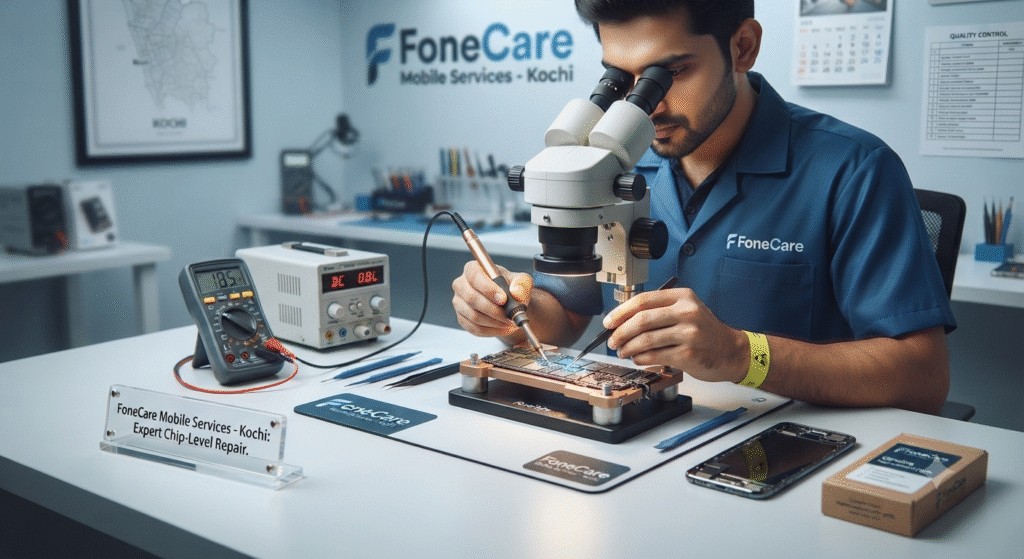
Expert technician performing micro-soldering chip-level mobile repair under a microscope at FoneCare Kochi service center

Reviving Your Smart Tech: Why Chip-Level Repair is the Future of Mobile Servicing in Kochi

Reviving Your Smart Tech: Why Chip-Level Repair is the Future of Mobile Servicing in Kochi Book your service NOW Introduction: The Smartphone Dependency Era In today’s fast-paced digital era, smartphones are not merely communication gadgets—they are our personal assistants, navigation systems, entertainment hubs, and commercial workhorses. Whether you reside in the bustling corporate corridors of Infopark Kakkanad or the historic streets of Fort Kochi, a sudden smartphone breakdown can completely halt your daily routine. When an expensive device like an iPhone, Samsung flagship, or OnePlus crashes, the immediate reaction is often panic, followed by the daunting thought of investing a huge sum in a brand-new phone. However, modern mobile technology has evolved significantly. Instead of replacing entire hardware assemblies or discarding devices due to component failures, advanced maintenance techniques have made precision repairs mainstream. At FoneCare Mobile Services, situated in the heart of Kochi, we champion sustainable, transparent, and expert-driven smartphone servicing that restores your device to factory-grade perfection without draining your wallet. You can explore our complete range of professional device solutions directly on our Home Page. Understanding Chip-Level Repair: Beyond Basic Component Swapping Many traditional mobile repair shops operate on a surface level: if your screen breaks, they replace the display assembly; if your phone fails to charge, they swap the board. While quick, this modular replacement method is often unnecessarily expensive, especially when dealing with complex logic board failures, power IC issues, or liquid damage. What is True Chip-Level Repair? Chip-level repair involves diagnosing electronic faults down to individual micro-components on the device’s printed circuit board (PCB) or motherboard. Using advanced microscopic tools, thermal imaging cameras, and precision micro-soldering stations, expert technicians isolate exact short circuits, faulty resistors, blown capacitors, or damaged power management integrated circuits (PMICs). By fixing the exact faulty micro-component instead of replacing the entire motherboard, users save up to 60% of repair costs. FoneCare brings over 10 years of hands-on technical competence in executing complex micro-soldering and motherboard-level restorations for both iOS and Android platforms. Learn more about our specialized expertise by visiting our About Us Page. Common Smartphone Complications We Solve at FoneCare Smartphones undergo rigorous daily wear and tear. Below are the most frequent issues brought to our Kochi service center and how our engineering team handles them: Shattered Screens & Display Anomalies: From minor surface scratches to bleeding OLED panels and unresponsive touch digitizers, we provide professional screen restoration using premium parts. Battery Degradation & Sudden Shutdowns: Lithium-ion batteries naturally lose capacity over 2 to 3 years. We replace degraded power units with certified, high-capacity cells that restore full-day battery retention. Water & Liquid Damage Recovery: Spilling coffee or dropping your phone into water can cause severe corrosion. Our ultrasonic cleaning and ultrasonic bath descaling eradicate mineral residue and rescue dead motherboards. Charging Port & Flex Cable Failures: Accumulation of pocket lint and dust often jams Type-C or Lightning ports. We perform meticulous port cleaning or micro-port replacements to restore fast charging capabilities. Software Glitches & Bootloops: Failed OS updates, operating system corruption, or forgotten passcodes are safely resolved through professional flashing and software troubleshooting without data loss where possible. Comparative Analysis: Modular Replacement vs. Chip-Level Repair Repair Parameter Traditional Swap-Out Shops FoneCare Chip-Level Expert Service Cost Efficiency High (replaces entire costly modules/boards) Affordable (targets exact faulty micro-chip) Data Security Often requires total factory reset Preserves onboard data and user privacy Technical Skill Required Basic screwdriver assembly Advanced micro-soldering & microscope diagnostics Environmental Impact High e-waste generation Eco-friendly component preservation The FoneCare Advantage: Why Kochi Trusts Us Finding a trustworthy mobile repair partner in a bustling urban hub like Ernakulam can be challenging. FoneCare distinguishes itself through uncompromising transparency, technical precision, and customer-first convenience: Comprehensive Multi-Brand Expertise: Specialists in iPhone, Samsung, Realme, Oppo, Vivo, Xiaomi, and OnePlus devices. Free Diagnostics & Transparent Pricing: No hidden costs. We inspect your device, explain the exact root cause, and provide a transparent quote before initiating any work. Convenient Doorstep Pickup & Delivery: Busy schedule? No problem. Take advantage of our hassle-free pickup and delivery service across Kochi so your device is repaired without stepping out. Certified Pre-Owned Devices: Looking for a budget-friendly secondary device? We offer thoroughly tested, certified secondhand phones that deliver flagship performance at fraction prices. For more helpful guides, expert repair tips, and company updates, make sure to browse through our official Blogs Page. Conclusion: Final Thoughts & Contact Details Your smartphone is a vital investment that deserves professional, skilled handling. Don’t let a cracked screen, battery drainage, or sudden motherboard failure force you into buying an expensive replacement. By choosing expert chip-level repair and reliable maintenance from FoneCare Mobile Services in Kochi, you extend your device’s lifespan, safeguard your personal data, and save money. Experience seamless customer service, rapid turnaround times, and certified quality today—because at FoneCare, your devices are always in safe hands. Get in Touch with FoneCare Mobile Services Ready to fix your device or schedule a convenient pickup? Reach out to us through the details below or visit our Contact Us Page: Website: https://fonecaremobileservices.in/ Location: Kochi & Ernakulam, Kerala Business Hours: Monday to Sunday – 9:00 AM to 9:00 PM Frequently Asked Questions (FAQ) 1. How long does a standard mobile repair take at FoneCare Kochi? Common fixes like screen replacements, battery changes, and charging port repairs are usually completed within 1 to 2 hours (same-day service). Advanced chip-level motherboard restorations may take 24 to 48 hours depending on diagnostic complexity. 2. Does FoneCare provide pickup and delivery services across Ernakulam? Yes! We understand that busy work or study schedules make it difficult to visit physical service centers. Our seamless pickup and delivery service covers your device from your doorstep and returns it fully repaired. 3. Will my personal data be safe during a motherboard or software repair? Absolute data privacy is our priority. Our technicians exercise utmost caution to preserve your personal data. We always recommend backing up your device before handing it over when software intervention is required. 4. Do you handle water-damaged
Reviving Your Smart Tech: Why Chip-Level Repair is the Future of Mobile Servicing in Kochi Read More »

mobile service shop in kochi

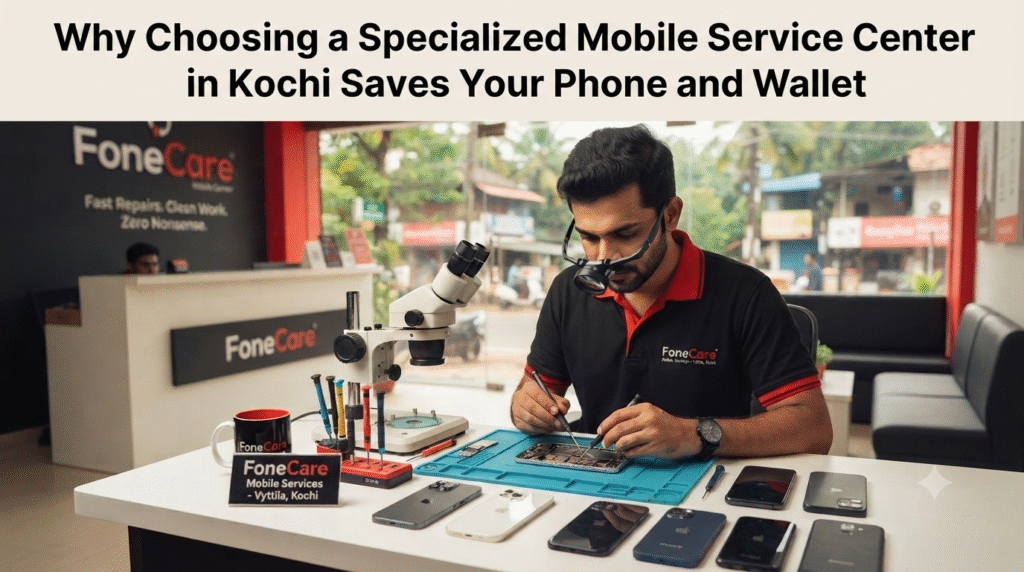
Why Choosing a Specialized Mobile Service Center in Kochi Saves Your Phone and Wallet

Why Choosing a Specialized Mobile Service Center in Kochi Saves Your Phone and Wallet Book your service NOW Smartphones have evolved from simple communication tools into essential digital companions handling our banking, work documents, navigation, and memories. However, when a phone breaks—whether it’s a sudden black screen, a battery draining within hours, or liquid damage—panic sets in. For residents across Ernakulam, finding a trustworthy mobile service center in Kochi can feel overwhelming with countless local shops offering quick fixes. In this guide, we explore why entrusting your device to an expert, transparent repair lab makes all the difference. 1. The Hidden Risks of Generic Local Repairs Many users make the mistake of walking into the nearest unverified repair kiosk when faced with a broken screen or charging failure. While these shops might offer rock-bottom prices initially, they frequently cut corners: Substandard Replacement Parts: Low-grade screens lack proper color calibration, touch sensitivity, and durability. Lack of Proper Tools: Modern smartphones use micro-components and delicate ribbon cables. Working without professional hot-air stations and microscopes often leads to permanent motherboard damage. Zero Warranty: When temporary fixes fail within a week, local pop-up shops offer no accountability or post-repair support. 2. What Sets Professional Chip-Level Servicing Apart Advanced repairs require specialized technical competence rather than basic part-swapping. At a professional facility like FoneCare located in Vyttila, technicians undergo rigorous hands-on training in motherboard diagnostics and micro-soldering. Whether it’s diagnosing a complex power IC failure on an iPhone or resolving a display connectivity glitch on Samsung and OnePlus devices, chip-level expertise ensures repairs target the root cause. Need expert help? Dealing with a malfunctioning smartphone, green line issue, or dead battery? Book a quick diagnosis with FoneCare today and enjoy doorstep pickup and delivery across Kochi! 3. Convenience Meets Transparency: Pickup, Delivery, and Fair Pricing We understand that a busy work schedule leaves little room to navigate traffic in Ernakulam just to get a phone checked. That is why professional service centers prioritize customer convenience: Complimentary Diagnostics & Upfront Quotes: No surprise charges or hidden fees. You know exact costs before work begins. Doorstep Pickup & Delivery: We collect your device from your home or office and return it fully restored. Same-Day Repairs: Common repairs such as battery replacements, charging port cleaning, and screen swaps are completed swiftly. Frequently Asked Questions (FAQs) Q1: How long does a standard screen or battery replacement take at FoneCare Kochi? A: Most standard repairs like battery changes and screen swaps are completed within the same day—often in under an hour if parts are in stock. Q2: Do you offer warranty on repairs and replacement parts? A: Yes! All our replacements and repairs come with a standard service warranty, ensuring complete peace of mind for our customers. Q3: How does the pickup and delivery service work in Kochi? A: You can easily request a pickup through our website FoneCare Mobile Services. Our logistics team will collect your device from your location in Kochi or Ernakulam, bring it to our Vyttila service lab for expert repair, and deliver it back safely. Q4: Can you fix water-damaged smartphones? A: Yes, we specialize in advanced liquid damage recovery using ultrasonic cleaning and precision circuit board rehabilitation. Bring it in immediately before corrosion spreads! How long does a typical phone repair take? Most repairs take 24-48 hours. Simple fixes like screen replacement or battery change can often be done same-day. Complex motherboard repairs might take 3-5 days. FoneCare prioritizes quick turnaround without compromising quality. Will my repair void my phone’s warranty? This depends on your phone’s warranty terms. Original manufacturer warranties typically void when non-authorized service is performed. However, FoneCare provides its own repair warranty (30-90 days depending on service), giving you protection and confidence in our work.   How much does a typical phone repair cost? Costs vary greatly depending on the issue and device model. Screen replacements typically range from ₹3,000-8,000, battery replacements ₹1,500-3,000, and motherboard repairs ₹5,000-15,000+. FoneCare offers free diagnostics and transparent pricing before any work begins.   Can you repair water-damaged phones? Yes, water damage recovery is one of our specialties. We have advanced drying and cleaning techniques, component testing, and replacement capabilities. Success rates depend on damage severity and how quickly the device is brought in—immediate professional care significantly improves recovery chances.   Do you offer warranty on repairs? Absolutely! FoneCare stands behind our work with comprehensive repair warranties. Most repairs come with 30-90 days warranty coverage. For hardware replacements, we often provide extended coverage. Check specific details with our team.   Final Thoughts: Invest in Quality Mobile Service Your smartphone is a significant investment. When it needs repair, don’t gamble with unauthorized or inexperienced service centres. Choose a mobile service centre in Ernakulam that prioritizes quality, transparency, and customer satisfaction—choose FoneCare. With over 10 years of experience, hundreds of satisfied customers, and expertise across all major brands, FoneCare is your trusted partner for all mobile repair needs in Ernakulam. Whether it’s a simple screen replacement or complex chip-level repair, we’re ready to help. Get in touch today. Visit our website at http://fonecaremobileservices.in/ to book your service or reach out to us directly. Your phone will thank you! Conclusion Your smartphone keeps your personal and professional life moving forward, meaning it deserves more than a temporary fix from an unverified shop. Choosing a specialized, transparent service center like FoneCare guarantees that your device receives the professional care, genuine parts, and chip-level expertise it needs to last. Don’t compromise your device’s performance with shortcuts—trust the experts in Vyttila for reliable, fast, and guaranteed repairs. Get in Touch with FoneCare Ready to fix your device? Reach out to us or book your service today: Website: https://fonecaremobileservices.in/ Location: Vyttila, Kochi, Ernakulam, Kerala Business Hours: Monday to Sunday – 9:00 AM to 9:00 PM

Why Choosing a Specialized Mobile Service Center in Kochi Saves Your Phone and Wallet Read More »

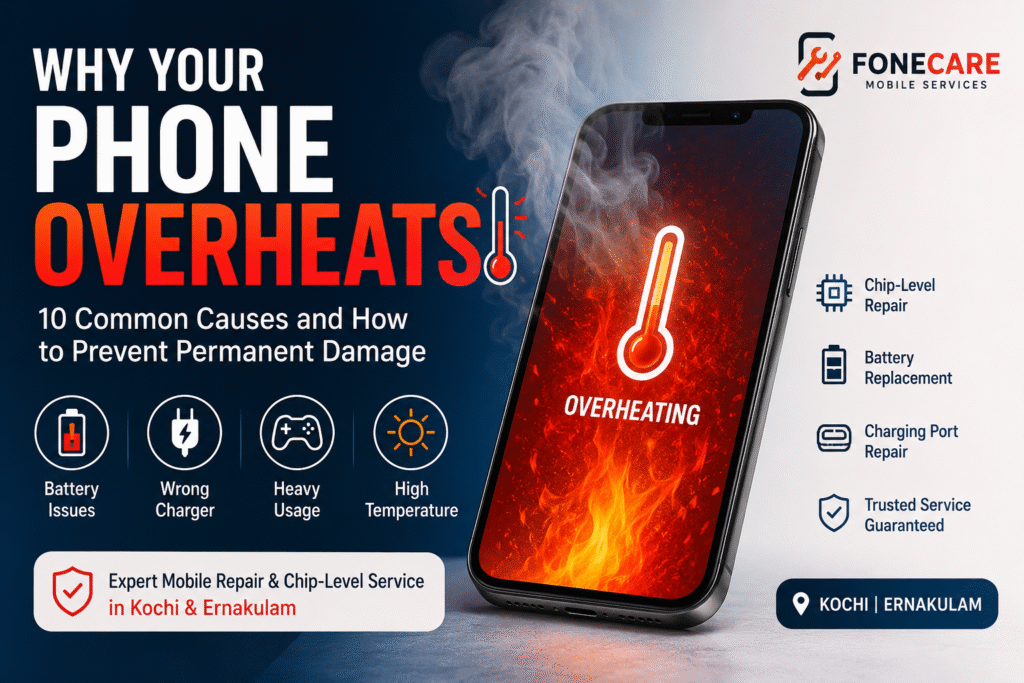
Why Your Phone Overheats: 10 Common Causes and How to Prevent Permanent Damage

Why Your Phone Overheats: 10 Common Causes and How to Prevent Permanent Damage Book your service NOW Smartphones have become an essential part of our daily lives, helping us stay connected, work efficiently, capture memories, and entertain ourselves. However, many users experience a common problem, their phone becoming unusually hot. While a slight increase in temperature during charging or heavy usage is normal, excessive overheating should never be ignored. An overheating phone can reduce battery life, slow down performance, damage internal components, and even lead to expensive motherboard repairs if left untreated. Understanding why your smartphone overheats can help you prevent long-term damage and extend its lifespan. At FoneCare, we provide expert smartphone diagnostics, chip-level motherboard repair, battery replacement, charging port repair, and complete mobile repair services for customers across Kochi and Ernakulam. If your device is overheating frequently, our experienced technicians can identify the root cause and provide the right solution. 1. Too Many Apps Running in the Background Many applications continue running even after you’ve closed them. Social media apps, navigation services, messaging platforms, and cloud backup services constantly consume processor power and memory. This extra workload generates heat and causes the battery to drain faster. What you can do: Close unused apps. Disable unnecessary background activity. Restart your phone regularly. 2. Using Low-Quality Chargers One of the biggest reasons for overheating is using poor-quality or incompatible chargers. Cheap chargers may deliver unstable voltage, creating excess heat during charging and gradually damaging your battery. Always use: Original chargers Manufacturer-approved adapters Certified charging cables 3. Playing High-Performance Games for Long Hours Modern games use the processor (CPU), graphics chip (GPU), and memory intensively. Extended gaming sessions naturally increase the phone’s internal temperature. To reduce heating: Take breaks while gaming. Reduce graphics settings if possible. Avoid charging while playing games. 4. Direct Exposure to Sunlight Leaving your phone inside a parked vehicle, near a window, or under direct sunlight can rapidly increase its temperature. Extreme heat affects battery health and may even trigger automatic shutdowns to protect internal components. Always keep your phone in a cool, shaded place whenever possible. 5. Aging or Damaged Battery Lithium-ion batteries naturally lose efficiency after hundreds of charging cycles. Signs of battery-related overheating include: Fast battery drain Phone becoming hot while charging Unexpected shutdowns Battery swelling Reduced backup time Replacing an old battery at the right time can prevent further hardware damage. 6. Software Bugs or System Issues Occasionally, a software update or an application bug causes the processor to work continuously. This leads to excessive CPU usage and increased temperature. Keep your device updated and uninstall applications that frequently crash or consume abnormal battery power. 7. Poor Mobile Network Signal When your phone struggles to find a stable mobile signal, it continuously searches for nearby towers. This constant searching increases processor activity and battery consumption. If you’re in an area with poor reception, your phone may become noticeably warmer than usual. 8. Dust, Moisture, or Internal Damage Dust accumulation and previous water exposure may affect internal components and reduce heat dissipation. Sometimes, corrosion inside the device causes excessive power consumption. A professional inspection can detect hidden damage before it becomes more serious. 9. Faulty Charging Port A damaged charging connector may create unstable electrical flow. Common symptoms include: Slow charging Charging interruptions Heating near the charging port Loose charging cable Ignoring this problem can eventually affect the battery or motherboard. 10. Motherboard or Chip-Level Issues If your phone becomes extremely hot even when it’s idle, the issue could be deeper than the battery or charger. Faulty ICs, short circuits, or damaged motherboard components require professional chip-level diagnostics. Attempting DIY repairs may worsen the damage. Simple Tips to Prevent Phone Overheating You can reduce the risk of overheating by following these simple practices: Close unused applications. Keep your phone software updated. Use original or certified chargers. Avoid charging your phone under pillows or blankets. Remove thick phone cases while gaming. Lower screen brightness when outdoors. Avoid using your phone in direct sunlight. Restart your phone regularly. Replace aging batteries before they fail completely. Avoid charging while performing heavy tasks. Warning Signs You Shouldn’t Ignore Seek professional assistance if your smartphone: Becomes extremely hot within minutes. Overheats while idle. Shuts down unexpectedly. Displays temperature warning messages. Drains battery unusually fast. Slows down significantly. Restarts automatically. Stops charging properly. Ignoring these symptoms can lead to more expensive repairs in the future. Why Choose FoneCare? Whether your smartphone needs a battery replacement, charging port repair, water damage restoration, software troubleshooting, or advanced chip-level motherboard repair, FoneCare has the expertise to help. Our technicians diagnose the actual cause of overheating before recommending any repair, ensuring you only pay for what your device truly needs. Our Services iPhone Repair Android Phone Repair Chip-Level Motherboard Repair Battery Replacement Display Replacement Charging Port Repair Water Damage Repair Software Troubleshooting Speaker & Microphone Repair Camera Repair We repair smartphones from leading brands including Apple, Samsung, OnePlus, Xiaomi, Redmi, Realme, Vivo, Oppo, Motorola, Poco, and more. 📍 Visit FoneCare: https://fonecaremobileservices.in/ 📞 Contact Our Team: https://fonecaremobileservices.in/contact-us/ Frequently Asked Questions (FAQs) 1. Why is my phone overheating even when I’m not using it? Background apps, software bugs, battery degradation, or internal motherboard faults can cause your phone to overheat even when idle. A professional inspection helps determine the exact issue. 2. Is it normal for a phone to get warm while charging? Yes. Mild heating during charging is normal. However, excessive heat, charging interruptions, or warning messages indicate a potential battery or charging problem. 3. Can overheating permanently damage my smartphone? Yes. Continuous overheating may reduce battery lifespan, damage internal components, affect performance, and eventually cause motherboard failure. 4. Does fast charging make phones hotter? Fast charging naturally produces more heat than standard charging. Using genuine chargers and certified cables helps maintain safe charging temperatures. 5. Why does my phone heat up while playing games? Games place heavy demands on the processor and graphics chip. Long gaming sessions, maximum brightness, and charging while gaming

Why Your Phone Overheats: 10 Common Causes and How to Prevent Permanent Damage Read More »

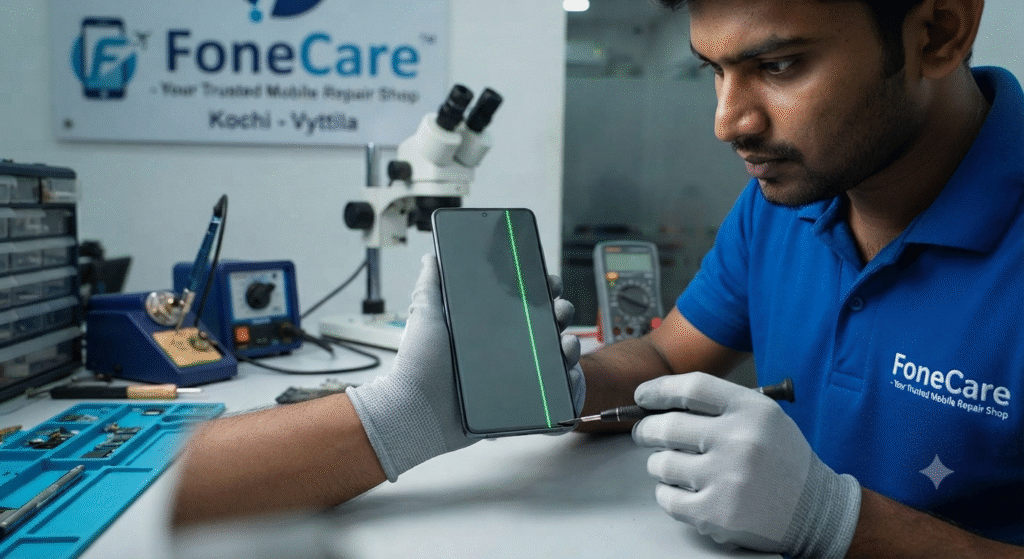
Expert technician at FoneCare Vyttila repairing a Samsung smartphone display with a green vertical line issue.

Samsung Green Line Issue: Why Does It Happen and Can It Be Repaired?

Samsung Green Line Display Issue: Why It Happens and How to Fix It Book your service NOW Samsung Green Line Issue: Why Does It Happen and Can It Be Repaired? If you are a Samsung user, you might have heard about—or experienced—the sudden appearance of an annoying green or pink vertical line across your phone’s screen. It often happens without any physical damage, leaving many users confused. At FoneCare, Ponnurunni, Vyttila, we have successfully addressed many such display issues. Here is a clear guide on why this happens and what you can do about it. Why Do Green/Pink Lines Appear? These lines are typically not due to external damage (like a drop). They are usually related to internal display hardware issues: Software Updates: Sometimes, after a software update, the display driver can encounter a bug that causes these lines to appear. Heat Exposure: Overheating the phone can cause internal components to expand and contract, leading to a loose connection between the display panel and the motherboard (flex cable issue). Display Panel Aging: In some models, the organic light-emitting diode (OLED) panel may develop defects over time due to manufacturing inconsistencies. Physical Stress: Even a minor pressure on the screen can cause the internal flex cables to lose their connection. What Should You Do? Restart Your Device: Sometimes it’s just a temporary software glitch. A simple restart can fix it. Check for Updates: Ensure your phone is running the latest software version, as Samsung often releases patches for known display issues. Visit a Specialist: If the line remains after a restart, it is likely a hardware issue. Do not ignore it, as these lines often spread across the entire screen over time. Expert Diagnostic: Bring your device to FoneCare. We can determine if the issue is a simple flex cable reconnection or if the display panel itself requires replacement. Frequently Asked Questions (FAQ) Q: Is the green line a permanent defect? A: In most cases, it is a hardware-related issue. While it may start as a small line, it often worsens over time. Professional repair is needed to stop it from spreading. Q: Can FoneCare fix this without replacing the expensive screen? A: Often, yes! If the issue is with the flex cable or connector, we can resolve it using advanced repair techniques without replacing the entire screen, saving you significant costs. Q: Does my warranty cover this? A: You should check with the official service center first. If your warranty has expired, FoneCare offers more affordable, professional repair solutions for your display. Need Samsung Display Assistance in Kochi? Don’t let a green line ruin your viewing experience. Bring your Samsung device to FoneCare in Vyttila for a thorough diagnosis. Visit Us: FoneCare, Ponnurunni, Vyttila, Kochi. Call/WhatsApp for Immediate Help: +91 90374 45533 Operating Hours: Monday – Sunday (9:00 AM – 9:00 PM) Website: https://fonecaremobileservices.in/ How long does a typical phone repair take? Most repairs take 24-48 hours. Simple fixes like screen replacement or battery change can often be done same-day. Complex motherboard repairs might take 3-5 days. FoneCare prioritizes quick turnaround without compromising quality. Will my repair void my phone’s warranty? This depends on your phone’s warranty terms. Original manufacturer warranties typically void when non-authorized service is performed. However, FoneCare provides its own repair warranty (30-90 days depending on service), giving you protection and confidence in our work.   How much does a typical phone repair cost? Costs vary greatly depending on the issue and device model. Screen replacements typically range from ₹3,000-8,000, battery replacements ₹1,500-3,000, and motherboard repairs ₹5,000-15,000+. FoneCare offers free diagnostics and transparent pricing before any work begins.   Can you repair water-damaged phones? Yes, water damage recovery is one of our specialties. We have advanced drying and cleaning techniques, component testing, and replacement capabilities. Success rates depend on damage severity and how quickly the device is brought in—immediate professional care significantly improves recovery chances.   Do you offer warranty on repairs? Absolutely! FoneCare stands behind our work with comprehensive repair warranties. Most repairs come with 30-90 days warranty coverage. For hardware replacements, we often provide extended coverage. Check specific details with our team.   Final Thoughts: Invest in Quality Mobile Service Your smartphone is a significant investment. When it needs repair, don’t gamble with unauthorized or inexperienced service centres. Choose a mobile service centre in Ernakulam that prioritizes quality, transparency, and customer satisfaction—choose FoneCare. With over 10 years of experience, hundreds of satisfied customers, and expertise across all major brands, FoneCare is your trusted partner for all mobile repair needs in Ernakulam. Whether it’s a simple screen replacement or complex chip-level repair, we’re ready to help. Get in touch today. Visit our website at http://fonecaremobileservices.in/ to book your service or reach out to us directly. Your phone will thank you!

Samsung Green Line Issue: Why Does It Happen and Can It Be Repaired? Read More »

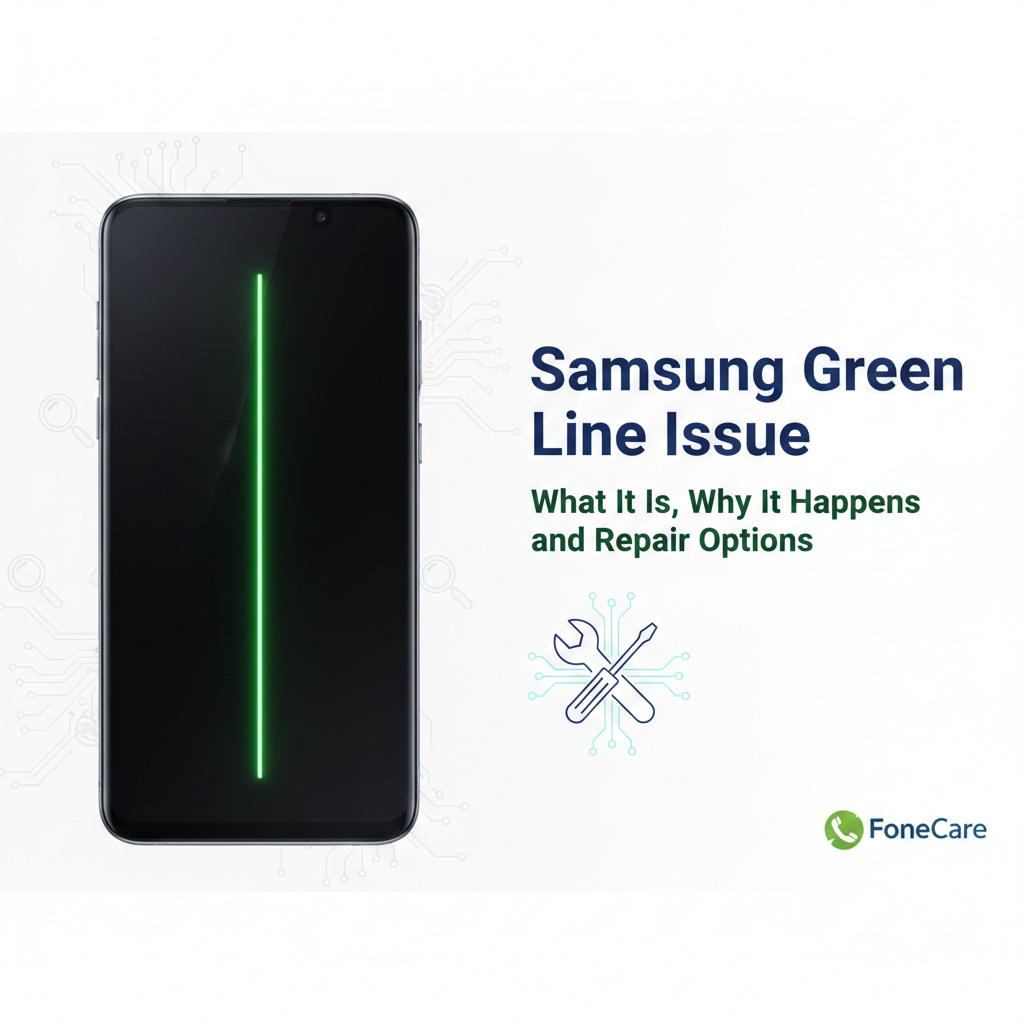
Samsung Green Line Issue: What It Is, Why It Happens, and Repair Options

Samsung Green Line Issue: What It Is, Why It Happens, and Repair Options If you’re reading this because a green vertical line appeared on your Samsung phone screen, you’re not alone. This problem has affected multiple Galaxy models and it’s frustrating because it usually means something hardware-related is broken inside the display. In Kochi and across India, many Samsung users have reported this and sought repairs at official and independent centers including FoneCare  Kochi, Samsung repair Kochi, and Samsung service center Kochi. What the Green Line Looks Like The “green line issue” shows up as a thin, vertical green stripe running from the top to the bottom of the display. Sometimes it can be pink or white, but green is the most reported color on Samsung phones with AMOLED screens. Android Authority It’s visible all the time, under all apps and backgrounds once it becomes a hardware fault.    Why the Green Line Appears People sometimes assume this is a software bug, but most evidence points to hardware failure in the display assembly. 1. Display Driver and Pixel Control Malfunction The AMOLED screen has a tiny Display Driver IC (DDIC) that controls columns of pixels. If this chip fails, that entire column can get stuck on a solid color (often green). Faulty pixel addressing inside the panel is the most widely accepted technical cause. TechCartel 2. Connector or Cable Damage Inside every Samsung phone, a flexible ribbon cable (FPC) connects the screen to the motherboard. Small impacts, minor drops, heat expansion, or pressure over time can damage this connector. If the connection weakens, the pixel data doesn’t reach part of the screen correctly, and you see vertical lines. Bengalnest 3. Software Update as a Trigger, Not the Root Cause Many users report the line appearing after a major update. That doesn’t mean the software directly caused the hardware to fail, but heat or changed driver behavior during the update process can expose a latent hardware weakness. Android Authority+1 4. Panel Aging, Heat and Environmental Stress AMOLED displays degrade with use. High brightness, constant gaming, frequent fast charging, and ambient temperature swings accelerate pixel degradation and solder joint stress. Over time this triggers visible faults like green lines. PMSLTech Guide 5. Manufacturing Defects Some batches of Galaxy screens are simply more prone to early failure. Samsung publicly acknowledged green line problems with certain S20, Note20, and S21 devices in India and offered one-time screen replacements to affected customers. Common Misunderstandings Software fixes don’t reliably solve it. Restarting, safe mode, or even resetting can rule out software causes but won’t remove the hardware line. Android Authority DIY fixes and tricks are ineffective and risky. Advice like heating the phone with a flame or applying pressure has no scientific backing and can damage batteries or worsen the failure. Android Authority How to Diagnose Before You Repair Restart and Safe Mode If the line stays after a restart and in safe mode, it’s almost certainly hardware.  Screen Test and External Display Some built-in diagnostics (or connecting to an external monitor) can help confirm the hardware fault.  Check for Recent Drops or Pressure Even if you don’t see cracks, bending or impacts can damage the screen connector.  Repair Options Explained 1. Visit an Official Samsung Service Center If your phone is within the Samsung support program for green line issues, you may get a free display replacement or good-will fix, even if it’s out of warranty. This was widely offered in India for select models, so always check with your Samsung service center Kochi first. Use the Samsung Members app or Samsung’s official site to book an appointment. A service center can also check if your device qualifies under any extended program. 2. Full Display Replacement This is the most common, permanent fix when the panel or DDIC is damaged. It involves replacing the entire screen assembly. This is the recommended repair when the green line persists after software checks. 3. Connector Reseat or Board-Level Inspection Experienced technicians (like those at FoneCare Kochi) can open the device, inspect the display connector, and reseat or clean it. In some cases this resolves the line if the panel itself is fine. 4. Board-Level Repair If the mainboard or data path ICs are faulty, display replacement alone won’t help. Board-level micro-soldering may be needed. This is more complex and only worth it on higher-value devices. Why Choosing the Right Repair Matters Cheap, low-quality screen replacements often use inferior AMOLED panels with poor color accuracy, low brightness, and limited lifespan. Trust a reputable repair provider like Fone Care or an authorized Samsung repair Kochi location to ensure you get genuine parts and professional service. At FoneCare in Kochi we diagnose display issues accurately, confirm whether it’s a connector fault or panel failure, and advise the most cost-effective repair path. If the connector can be fixed without a full screen change, that’s often cheaper. If the panel is bad, we replace it with a high-quality original part and calibrate it properly. Cost and Turnaround (Realistic) Costs vary by model and warranty status. Flagship Galaxy screens cost more to replace. Independent shops may be cheaper, but quality matters. Official Samsung repair Kochi may be pricier but gives assurance of genuine parts. Turnaround can be same-day or several days depending on part availability. Final Take The green line isn’t a harmless software glitch. Most of the time it means hardware damage inside the AMOLED panel or its connection, and it won’t go away on its own. A professional repair at Fone Care Kochi or Samsung service center Kochi is the only reliable way to fix it permanently. Before you spend money, do these two quick checks: Restart and use safe mode to rule out software triggers.  Photograph the issue to document it for service center claims.  Once it’s confirmed hardware, don’t delay repairs or the fault can spread, potentially leading to larger display failure.  

Samsung Green Line Issue: What It Is, Why It Happens, and Repair Options Read More »