
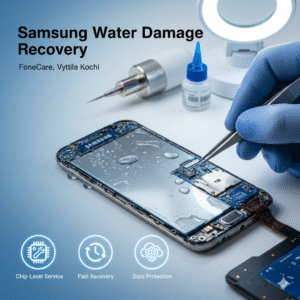
Samsung Water Damage Recovery: What You Should Do in the First 10 Minutes Water damage destroys more Samsung phones than most users realise, and the first ten minutes decide whether the device survives or dies. People often panic and make the wrong moves. If you want a realistic chance of saving the phone, follow the steps below without delay.
- Power Off Immediately
If the phone is still on, switch it off at once. Do not wait to “check” anything. Running it while wet is the fastest way to short key components on the motherboard.
- Remove SIM, SD Card and Case
Take out everything you can safely remove. Trapped moisture spreads fast and leads to corrosion. Keeping SIM or SD card inside can complicate data recovery later.
- Don’t Charge or Test the Buttons
Avoid the impulse to plug it in or press random buttons. This is how people blow the charging IC, damage the PMIC or permanently short the board.
- Wipe the Exterior and Keep the Phone Vertical
Dry the outer body with a clean cloth and keep the phone upright. This limits how much water travels deeper into the internals.
- Ignore the Rice Myth
Rice does not fix water damage. All it does is delay proper repair. Corrosion continues to spread during that delay, which reduces the success rate of recovery.
- Avoid Hair Dryers or Heat
Blowing hot air forces moisture inside and can warp the AMOLED display or melt adhesive. Heat is one of the quickest ways to make the problem worse.
- Get the Phone to a Professional Fast
Samsung phones need proper board-level cleaning and inspection. Corrosion starts almost instantly and keeps growing. A trained technician can stop the damage before it becomes irreversible.
If you are in Kochi, the practical step is to take it straight to FoneCare, Vyttila, where chip-level repair and water damage recovery are handled daily. Quick action increases the success rate, especially for data recovery.
What Professionals Like FoneCare Do During Water Damage Recovery
A proper tech workflow includes:
- Safe disassembly and battery disconnection
- Board cleaning with the right chemicals
- Corrosion removal before it spreads
- Voltage line testing to find shorts
- Checking display, charging IC, network and camera circuits
- Replacing damaged components
- Ensuring the phone boots safely and data stays intact
This is real recovery, not home tricks.
Final Advice
If your Samsung phone gets wet, assume the damage has already started. Your job is not to repair it at home, but to avoid making it worse. Switch it off, remove what you can, avoid heat and charging, and get it to a technician fast. A service center like FoneCare can save the device only if you act within the critical early window.